
PWA And Push Notifications
Installable app behavior, Web Push setup, VAPID diagnostics, notification preferences, and mobile install notes.
Andrea Helpdesk is an online-first PWA. It can be installed on supported devices and can send browser / OS push notifications to agents who opt in.
The service worker intentionally caches static application assets only. API responses, tickets, customer data, attachments, and authentication responses are not cached.
Admin Setup
- Open
#/admin/settings/notifications. - Click Generate Keys, or paste an existing VAPID public/private key pair.
- Set
PUSH_VAPID_SUBJECTto either:mailto:support@example.comhttps://support.example.com
- Save the settings.
- Confirm the status shows Push notifications are configured.
PWA branding uses the normal Application Name from #/admin/settings/general. Icons use the optional PWA / Notification Icon URL in #/admin/settings/notifications; if that is blank, Andrea Helpdesk uses the Favicon URL from #/admin/settings/branding; if that is also blank, it falls back to the bundled Andrea Helpdesk icons.
For best install prompts and mobile Home Screen icons, use a square PNG or SVG with safe padding. Root-relative URLs such as /my-icon.png and HTTPS URLs are supported.
The diagnostics panel also shows:
- active push subscription count
- number of subscribed agents
- last subscription refresh time
- Web Push Composer dependency availability
- required PHP extensions:
curl,mbstring,openssl - OpenSSL
prime256v1curve support - most recent push send failure, if any
The VAPID private key is encrypted at rest and masked in the admin UI. The public key is exposed to authenticated agents so their browser can create a push subscription.
Agent Setup
- Open
#/my-profile/settings/notifications. - Choose which notification types you want to receive.
- Use Subscribe In Your Browser or Enable Browser Notifications.
- Allow notifications when the browser prompts.
- Use Send Test to confirm local browser notification support.
- Use Send Push Test to confirm server-side Web Push delivery to this browser/device.
Push notifications are still governed by the agent’s notification preferences. If an agent disables a notification type, Andrea Helpdesk does not create or push that notification for that agent.
Chat notifications use the same PWA/browser push system. Agents can opt into @mention alerts, private-message alerts, and selected channel-message alerts from #/my-profile/settings/notifications.
Installing The App
Desktop Chrome / Edge
- Open Andrea Helpdesk.
- Use the browser install icon in the address bar, or open the browser menu and choose Install Andrea Helpdesk.
- Launch the installed app from the desktop/app launcher.
Android Chrome
- Open Andrea Helpdesk in Chrome.
- Open the Chrome menu.
- Tap Add to Home screen or Install app.
- Open Andrea Helpdesk from the new Home Screen icon.
Android Chrome supports Web Push for installed and normal browser contexts, subject to browser and OS notification settings.
Android Install Screenshots
The following screenshots show the Android Chrome install and notification permission flow.
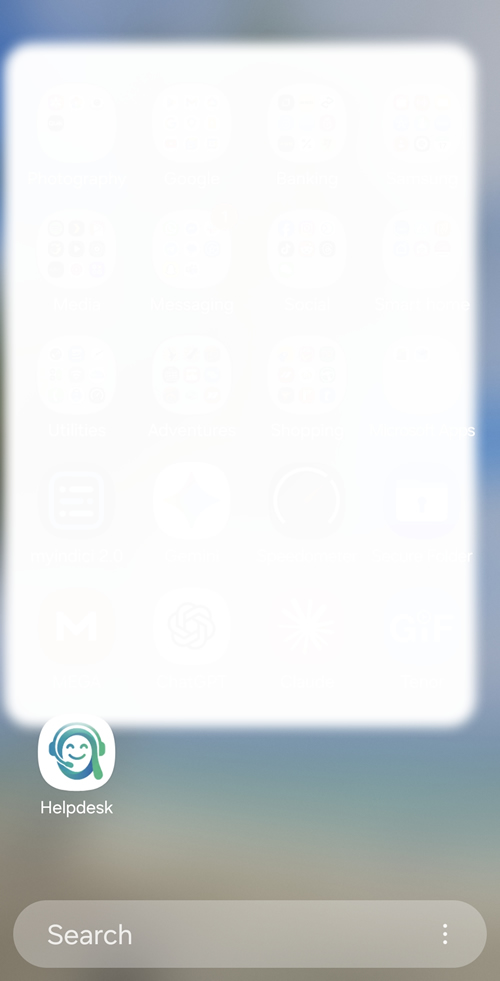
Chrome shows the Andrea Helpdesk site menu with the install option available.
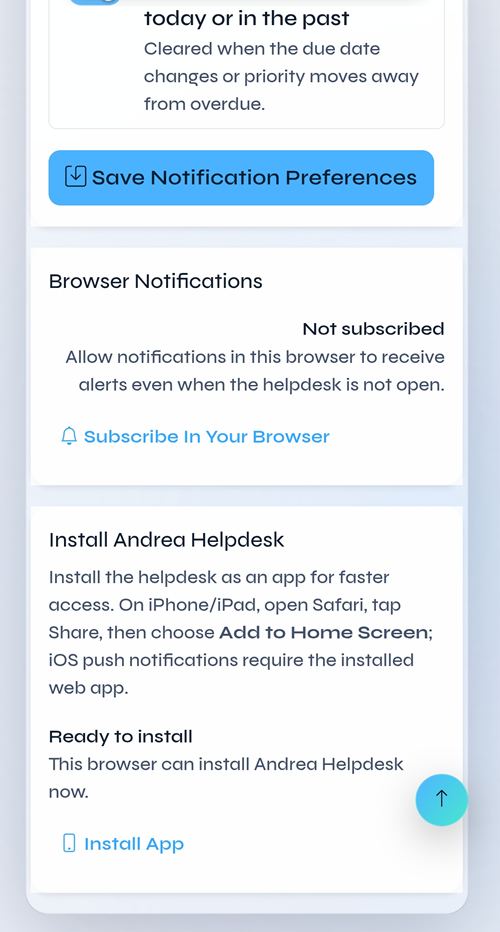
The browser exposes the Install app action when the PWA manifest and service worker are available.
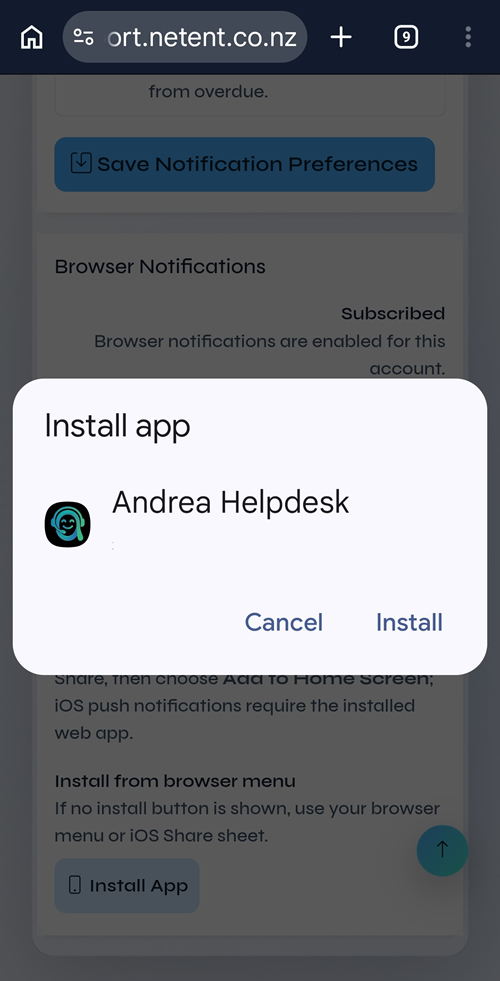
Android asks the user to confirm installing Andrea Helpdesk.
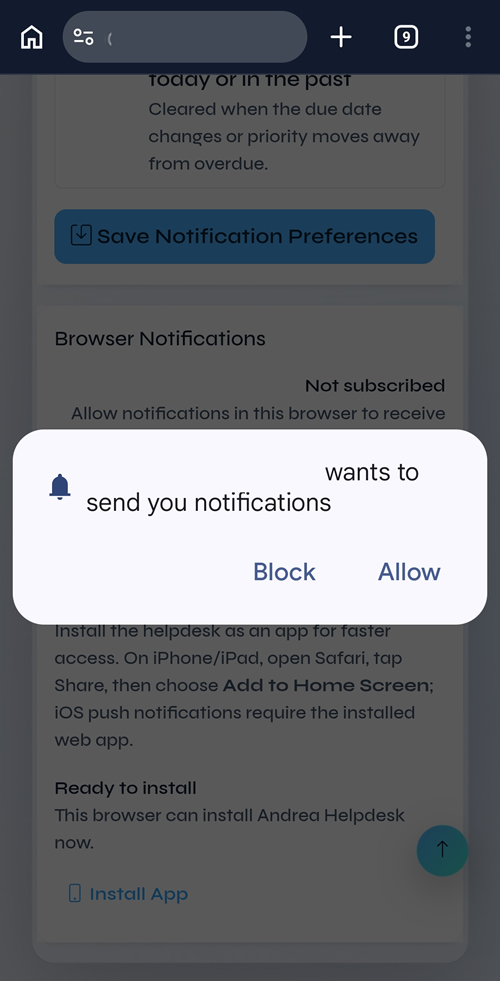
After an agent enables browser notifications, Android asks whether Andrea Helpdesk can send notifications.
iPhone / iPad Safari
- Open Andrea Helpdesk in Safari.
- Tap the Share button.
- Tap Add to Home Screen.
- Open Andrea Helpdesk from the Home Screen icon.
- Subscribe to notifications from
#/my-profile/settings/notifications.
iOS Web Push requires the app to be installed on the Home Screen. A normal Safari tab cannot receive push notifications in the same way.
Service Worker Behaviour
- Cache name is tied to the application version, so new releases create a fresh static asset cache.
- The app shell includes the application version on static JS/CSS URLs. This forces Android/iOS installed PWAs to fetch the new assets after the shell reloads, even if an older service worker still has old unversioned files cached.
- On startup, focus, visibility change, and then every minute while visible, the SPA checks
/api/versionwithcache: no-store. If the server version differs from the running app version, Andrea Helpdesk asks the browser for a service-worker update and reloads the app so the installed PWA moves to the current release promptly. - The service worker is registered with
updateViaCache: noneand a versioned script URL, so service-worker update checks bypass normal HTTP cache behaviour. - Old static caches are removed on service-worker activation.
- Static app assets are cached; API and attachment routes are always network-only.
- If the network is unavailable during a page navigation, the service worker shows a small offline page instead of a browser error.
- Waiting service workers are activated automatically; if a version mismatch remains after one reload, the SPA shows a single hard-refresh prompt.
- Notification clicks focus an existing Andrea Helpdesk window when possible, otherwise they open the linked app route.
- If the browser rotates a push subscription, the service worker attempts to re-subscribe and the authenticated SPA refreshes the server-side subscription on the next app load.
Security Notes
- Push payloads are deliberately small: title, short body, internal route, tag, and icon.
- Chat push payloads include only the notification title, a short preview, and a route to the chat channel/thread; full message history is fetched after the authenticated app opens.
- Ticket bodies, HTML content, customer records, attachments, JWTs, and secrets are not sent in push payloads.
- Push subscription endpoints are stored with a SHA-256 endpoint hash for unique lookup.
- Expired push subscriptions are removed when providers return
404or410. - Disabling browser notifications removes the current endpoint where possible, or all endpoints for the current agent if the endpoint cannot be read.
- The service worker scope is
/so notification clicks and static app shell caching work across the SPA, but API and attachment responses are excluded from caching.
FAQ
Why does Android show both an install prompt and a notification prompt?
Installing Andrea Helpdesk and allowing notifications are separate browser/OS permissions. The install prompt adds the PWA to the device. The notification prompt grants permission for browser / OS push alerts.
Why do I not see the install option?
Confirm the site is served over HTTPS, /manifest.php is reachable, service-worker.js is reachable, and the browser supports installable PWAs. Some browsers hide the install action inside the main browser menu.
Why do I not receive push notifications after installing?
Installing the PWA does not automatically subscribe the agent to push notifications. The agent must open #/my-profile/settings/notifications, enable browser notifications, and allow the browser permission prompt.
Why does VAPID key generation say the Web Push dependency is missing?
The server is missing the Composer package used to generate VAPID keys and send Web Push messages. Run this from the application directory:
composer install --no-dev --optimize-autoloaderIf you are on shared hosting without Composer, install from the full GitHub release package instead of the source zip. The full release package includes the vendor/ dependencies. Current versions of the in-app updater also prefer the full release package and can repair missing PHP dependencies automatically if vendor/ is writable by the PHP process.
If an install was already updated by an older updater that skipped vendor/, the VAPID key actions will try to repair dependencies automatically. The repair first uses Composer when available; if Composer is missing, it downloads the full GitHub release package for the installed version and copies vendor/ from that package. If both repair paths fail, upload the full release package or run Composer manually from the application directory.
Why does iOS behave differently from Android?
iOS Web Push requires the app to be added to the Home Screen and opened from the installed app icon. A normal Safari tab is not equivalent to the installed PWA for push notifications.
Is helpdesk data available offline?
No. Andrea Helpdesk is online-first. The service worker caches static app files only; tickets, customers, attachments, API responses, and authentication data are not cached for security and freshness.
Why did my installed Android PWA not update immediately after a server update?
Older releases relied mostly on the browser noticing a new service worker. Android can keep an installed PWA process alive and continue serving old cached static asset URLs. Current releases use versioned asset URLs plus a /api/version runtime check so an installed PWA reloads onto the new release shortly after the server update is visible.
